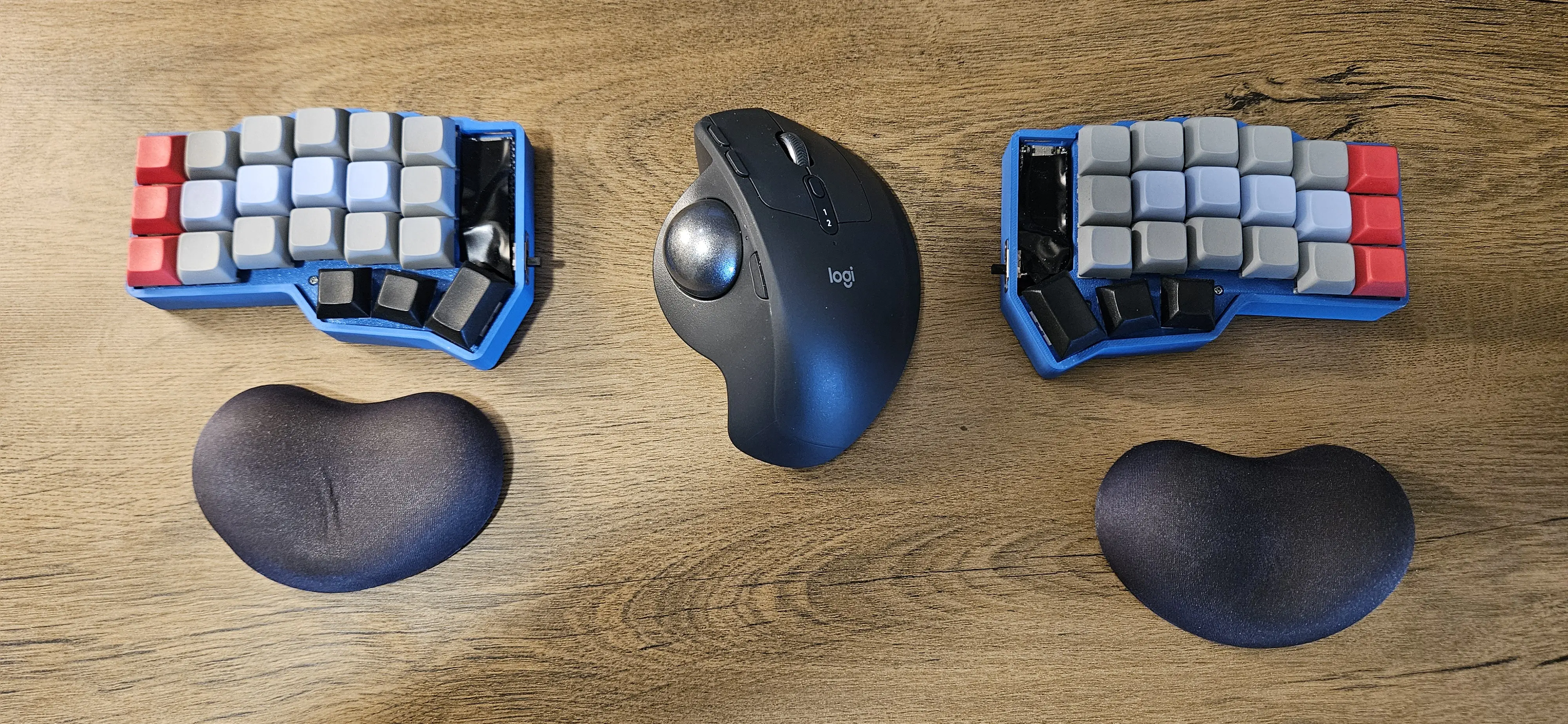
This started with wrist pain and curiosity. It ended with wireless split keyboards, Lego ergonomics experiments, firmware patches, and a completely different way of typing.
For a long time I never thought much about keyboards. I used whatever came with the computer, usually a laptop keyboard or a cheap membrane keyboard. But after many years of typing every day my wrists started to hurt.
Around the same time I listened to the Swedish developer podcast Kodsnack where they talked about a small custom keyboard called Planck. It's a compact ortholinear keyboard with far fewer keys than a traditional keyboard, which forces you to rely on layers instead of dedicated keys.
It looked interesting, but it was far more expensive than I was willing to spend on a keyboard. I also briefly considered ergonomic keyboards like the Kinesis Advantage, but it looked huge and even more expensive.
So instead of buying something, I decided to build my own.
That decision came naturally, like an old man thinking he can do everything better himself. I've always liked taking things apart to understand how they work. As a kid I opened every toy and electronic gadget I could get my hands on. Sometimes I even managed to put them back together again. So when I saw the Planck, my first thought wasn't "I should buy this." It was: How hard can it be?
The First Build
I bought a set of switches and hand-wired my first keyboard without a PCB. It was messy, but it worked.
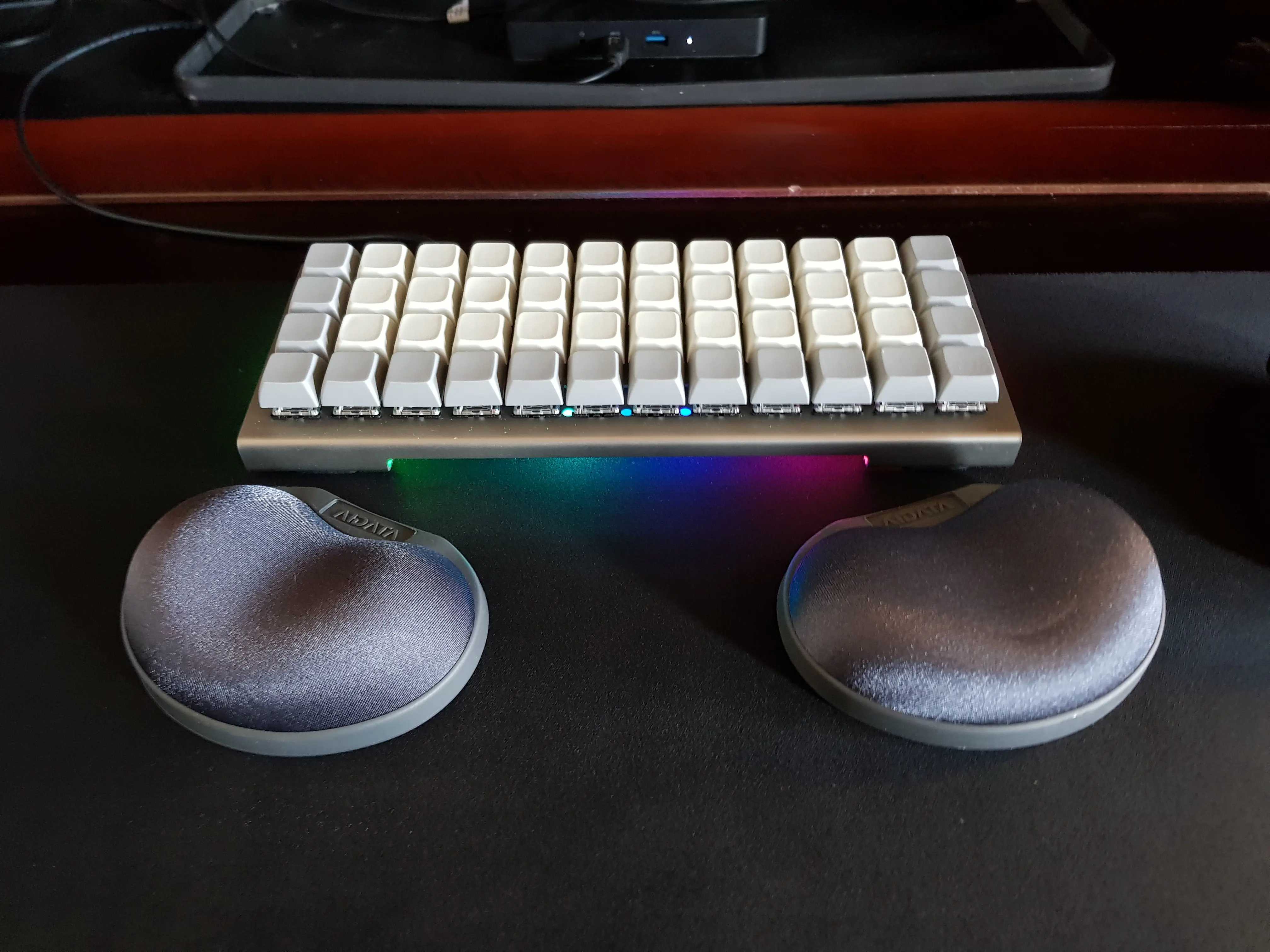
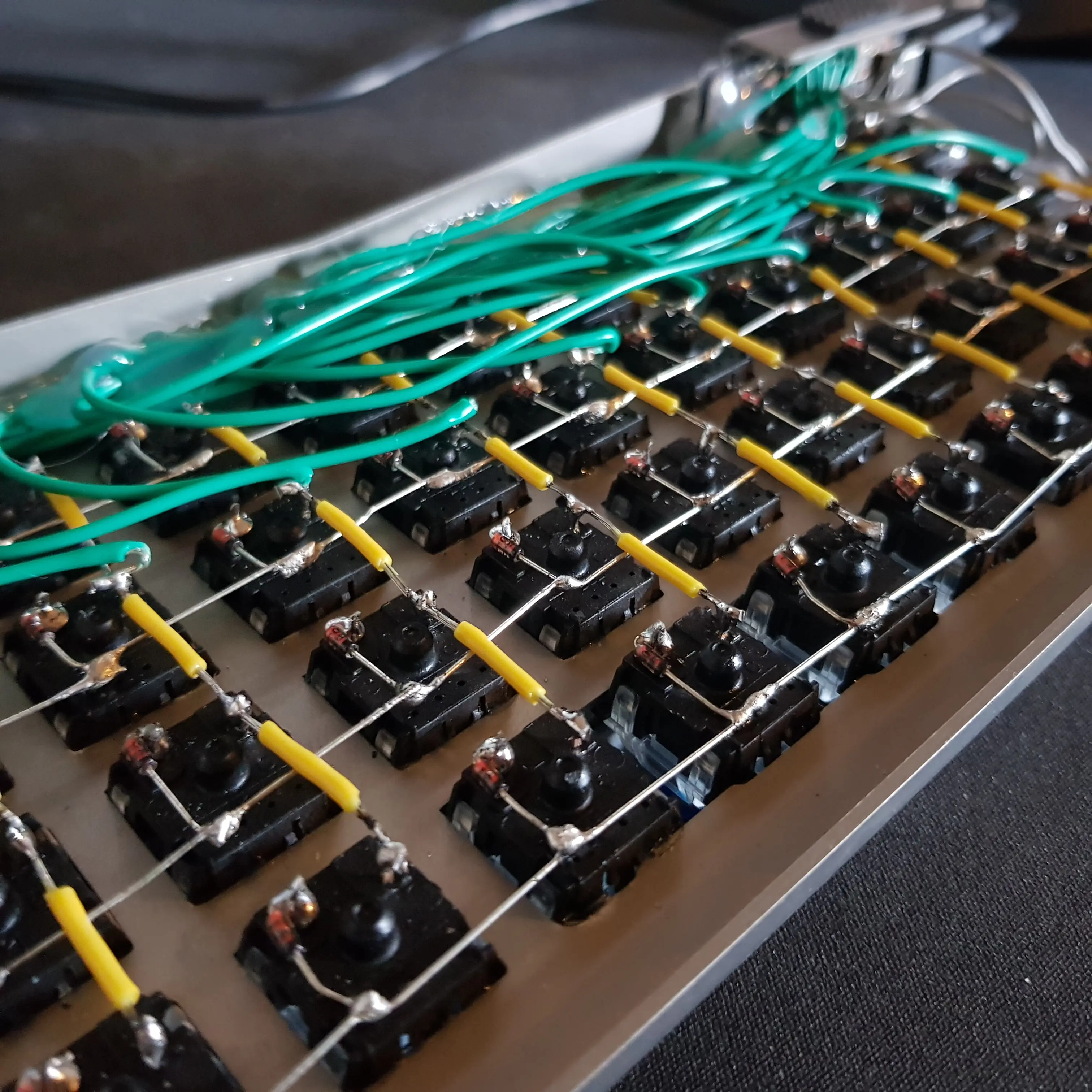
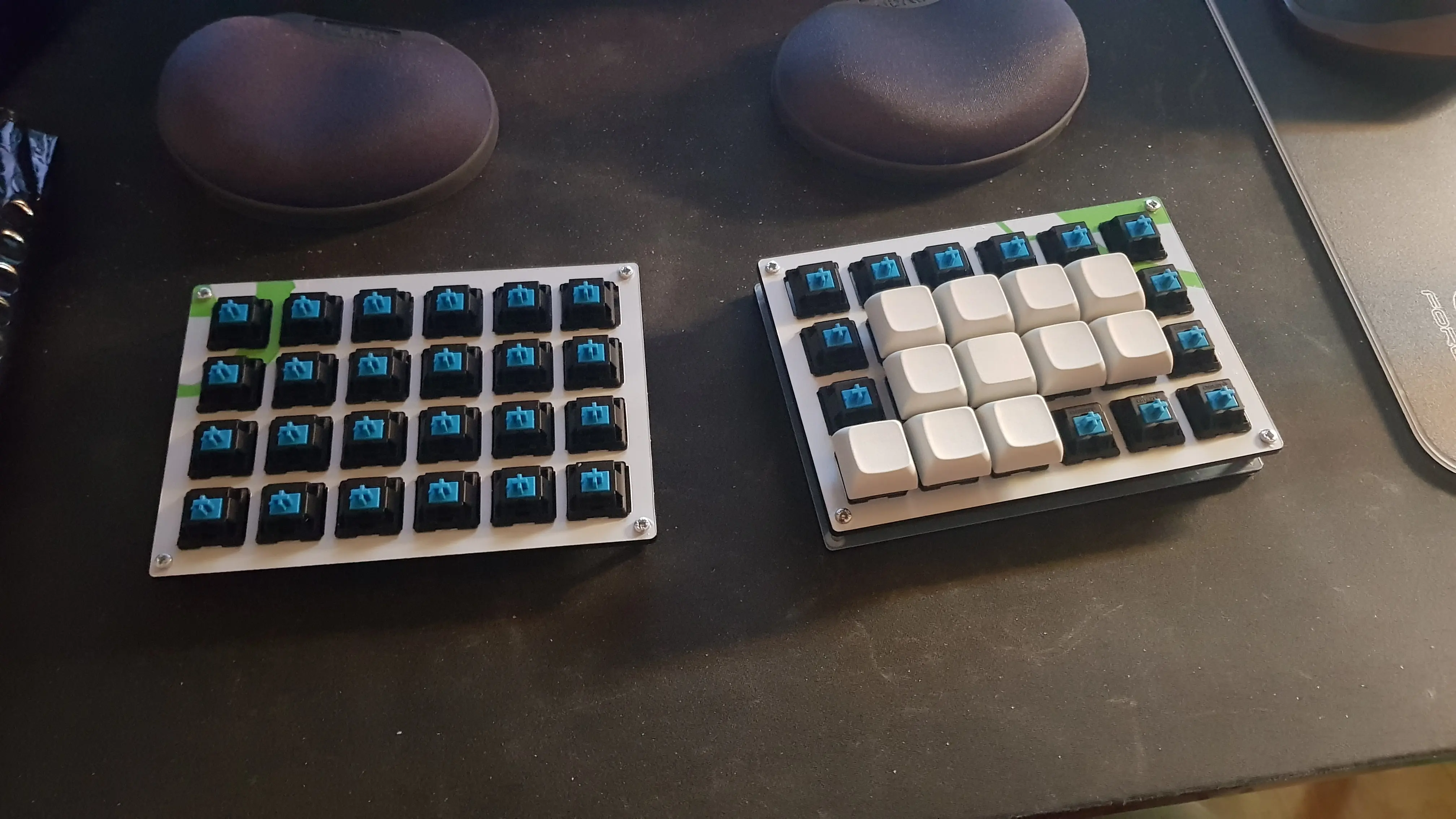
At the same time I made things even harder for myself. I switched to Colemak-DH, used blank keycaps, and decided to finally learn touch typing. Before that I typed at under 40 WPM and constantly looked at the keyboard. Learning the new layout took about four weeks of evenings and weekends before I felt comfortable enough to use it for work. Eventually my typing speed climbed to around 120 WPM.
The funny thing is that I had tried learning touch typing several times before, but it never stuck. I think I simply wasn't motivated enough. Switching layouts and removing the key labels meant there was no fallback anymore. If I wanted to type, I had to learn it.
I started with the lessons on TypingClub, which was an amazing path, but hard. I thought about quitting many times. To push through that I told everyone around me that I had hand-built my own custom keyboard and was learning to type on it and would never look back. That made the grumpy old man inside me too stubborn to give up. Eventually it sank into muscle memory.
After that I started looking for more fun ways to practice. TypeRacer was decent but felt old and ugly. Then I found NitroType, which was actually fun, I spent a lot of hours there. I also used Keybr for a while, which is good at targeting your weak keys. But what I still use today for a few practice rounds each week is Monkeytype. It's simple, has a dark theme, and isn't cluttered with things I don't care about.
Layers
Another thing I quickly discovered was how much I liked the small keyboard.
On a traditional keyboard you constantly move your hands around to reach arrow keys, function rows, numbers, and symbols. On a small keyboard most of those live on layers instead.
Layers work a bit like the Shift key: when you hold one key, the rest of the keyboard temporarily changes function. That means instead of moving your hands, you mostly reposition your fingers while your hands stay in place. After a while it stops feeling like switching layers and starts feeling more like playing small finger chords. Once it clicks it feels incredibly efficient.
Going Split
The first keyboard worked well, but it had one problem: it was too narrow. My hands were too close together, which still created tension in my wrists and shoulders. So I built the next version as a split keyboard. That change made a huge difference. Being able to place the halves further apart meant my arms could stay in a more natural position.
Around the same time I also switched from a traditional mouse to a Logitech trackball, which I still use today.
Corne
A big part of what kept pulling me deeper into this hobby were the online communities, especially r/ErgoMechKeyboards and r/CustomKeyboards. Both were a constant source of inspiration and ideas. r/mechmarket also became a regular stop for buying and selling switches, keycaps, and half-finished projects.
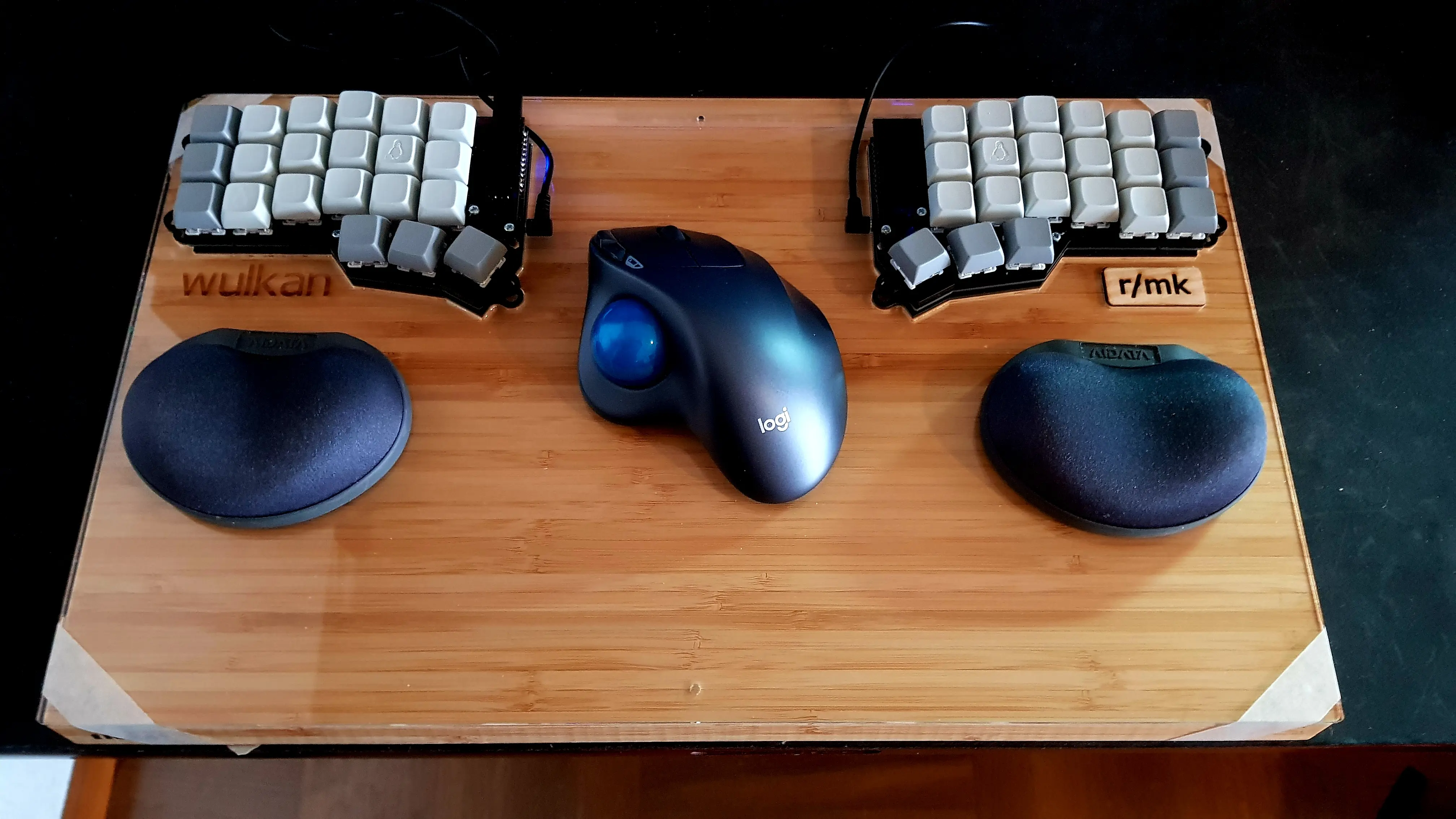
That's where I eventually discovered a keyboard called Corne (crkbd). Unlike Planck it uses a column-staggered layout, the keys actually line up with where your fingers want to go.
I built one. Then another. At some point I stopped counting.
And something interesting happened: the wrist pain disappeared completely.
Tenting and Lego
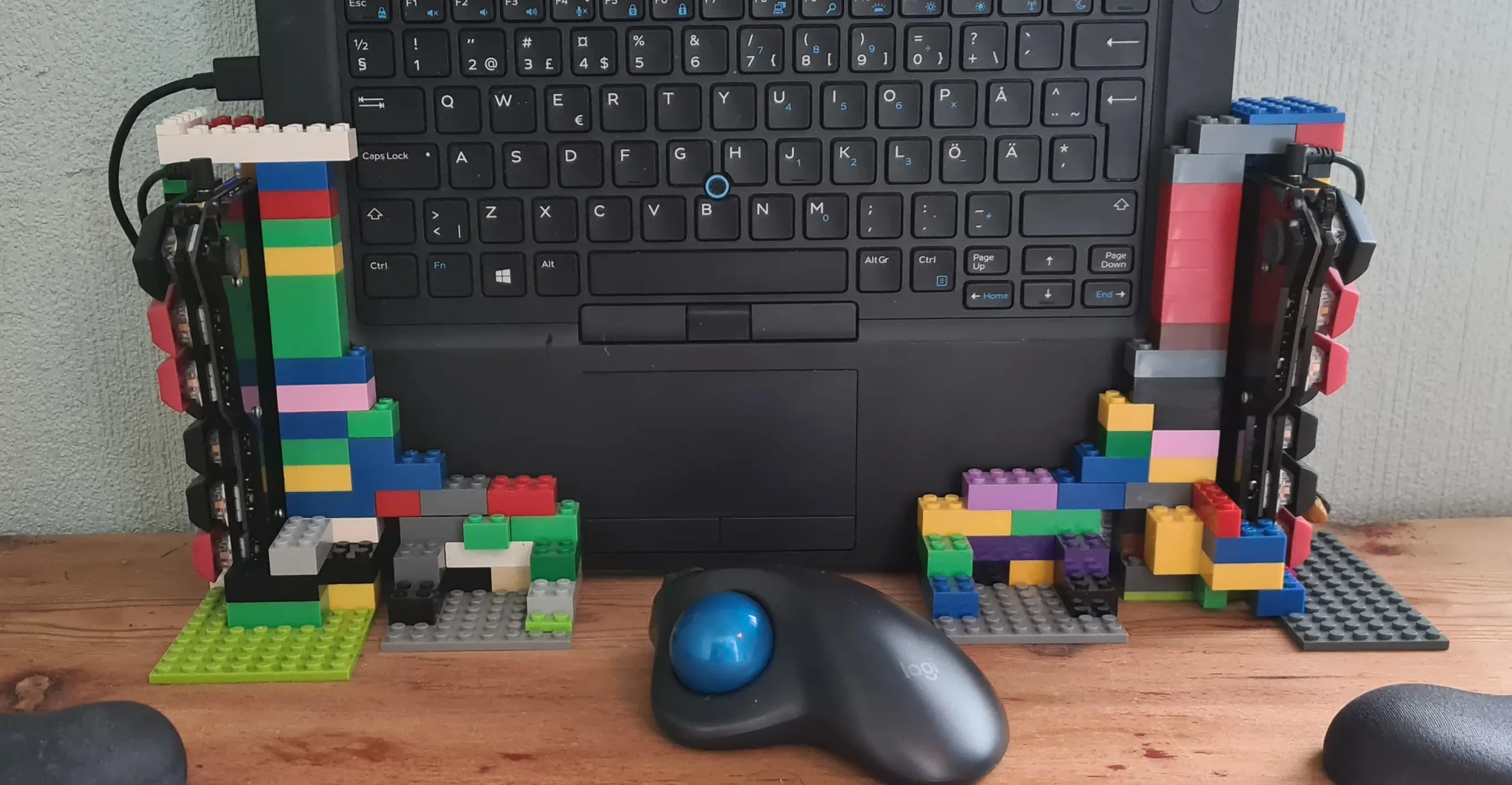
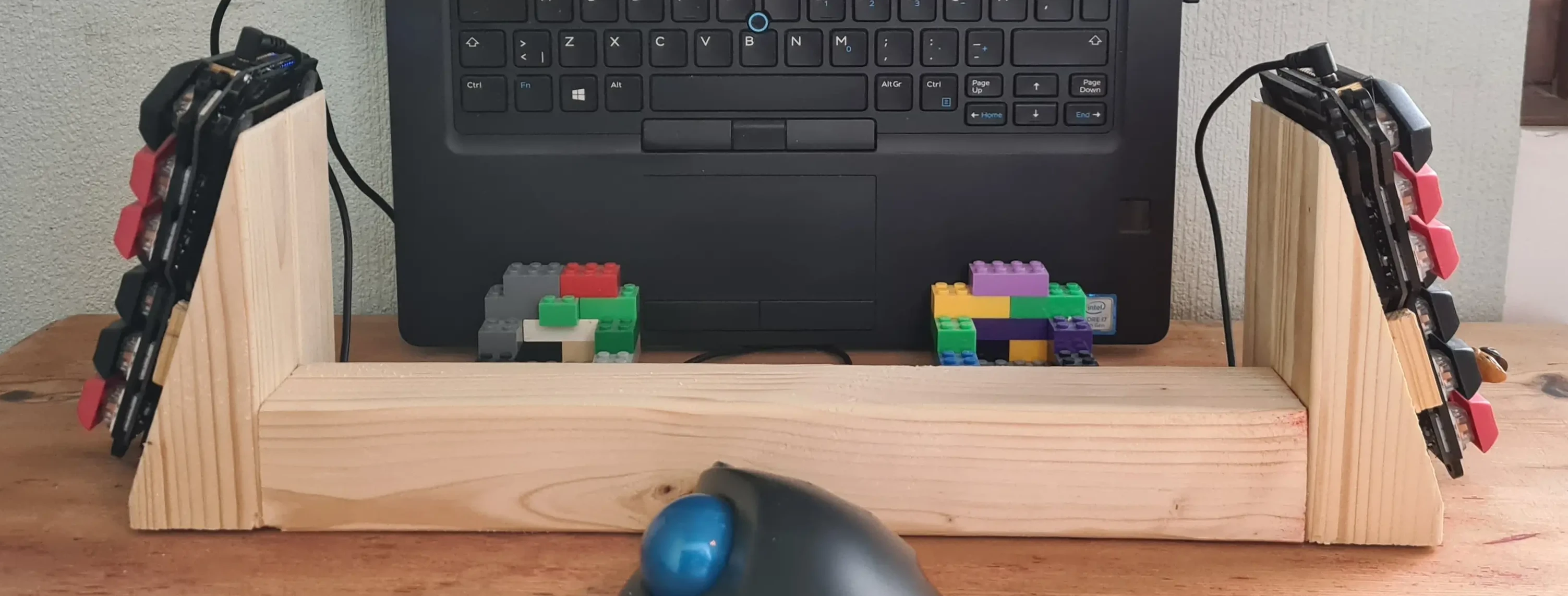
But I kept experimenting. I started testing tenting, angling the keyboard halves so the inner edges are raised. To experiment with angles I built adjustable stands out of Lego with my kids.
What surprised me was that the more aggressive the tenting, the better it felt. Not only were my wrists and forearms more relaxed, I could actually type faster.
The only problem was that Lego stands occasionally collapsed while typing, so eventually I built a wooden stand with a fixed angle and a small bridge between the halves to keep them from drifting apart.
Firmware
Along the way I also experimented with firmware. My early keyboards used QMK, which worked great for wired builds, I even got my first hand-wired keyboard merged into the QMK repo. When I started building wireless keyboards I switched to ZMK.
At the time ZMK didn't have good macro support, which I needed to send Swedish characters like å, ä, and ö on systems configured with a US layout. There was a pull request that fixed it, but it had gone stale, so for a while I kept my own small patch. These days ZMK has proper macro support, so that's no longer necessary.
Where I Ended Up
Today my setup is a wireless Corne keyboard running ZMK, self designed 3D printed case, paired with a Logitech trackball. The keyboard halves are far apart so my arms stay relaxed, and the column-staggered layout fits my hands much better than traditional keyboards.
If there's one thing I learned from this whole journey, it's that ergonomics is less about the exact keyboard you buy and more about how your hands and arms are positioned. Splitting the keyboard, spacing the halves properly, and adding tenting made a much bigger difference than any layout change.
And in a slightly ironic twist, after years of using Colemak I'm actually considering switching back to Qwerty. Not because it's better ergonomically, but because it's the universal default. I frequently switch between my custom keyboards and laptop keyboards, and on Qwerty I'm painfully slow. There's also Neovim, many of its keybindings clearly assume Qwerty. Motions like hjkl make perfect sense on a Qwerty keyboard but feel awkward on Colemak. I could remap everything, but maintaining that across plugins would be a lot of work.
So this whole keyboard journey might eventually end where it began. Back on Qwerty. Just with much better typing habits… and much weirder keyboards.